
Kansas VINE Covers County Jails
Kansas VINE, short for Victim Information and Notification Everyday, provides custody search and notification functions through VINELink. The Kansas Attorney General describes the service as free, confidential, voluntary, and available in many languages. Most important for Hodgeman County, the official coverage statement says it is specific to adult offenders housed in Kansas county jails.
The same official source expressly excludes Kansas Department of Corrections state-prison offenders. Put simply, Kansas VINE may carry a Hodgeman County Jail event, but it is not the KASPER state-prison locator. It also is not a Federal Bureau of Prisons or ICE search. Determine the custodian before choosing the tool.
Search a Hodgeman VINE Record
Open the Kansas service and search one person. Use all offered identifiers that can be matched lawfully. Similar names and spelling variants are common failure points, so do not open a record solely because the name looks close.
- Open Kansas VINELink and confirm Kansas is the selected state.
- Choose the offender or person search. Enter the name and any additional identifiers the live interface offers.
- Review all possible matches. Compare middle name or initial, age or date information, facility, and other public identifiers.
- Open the record only after the identity and county-jail context align.
- Write down the exact custody-status wording, facility name, event date and time, and the time the record was checked.
- If the result says released or out of custody, call the Hodgeman County Sheriff at 620-357-8391 for the release type and destination.
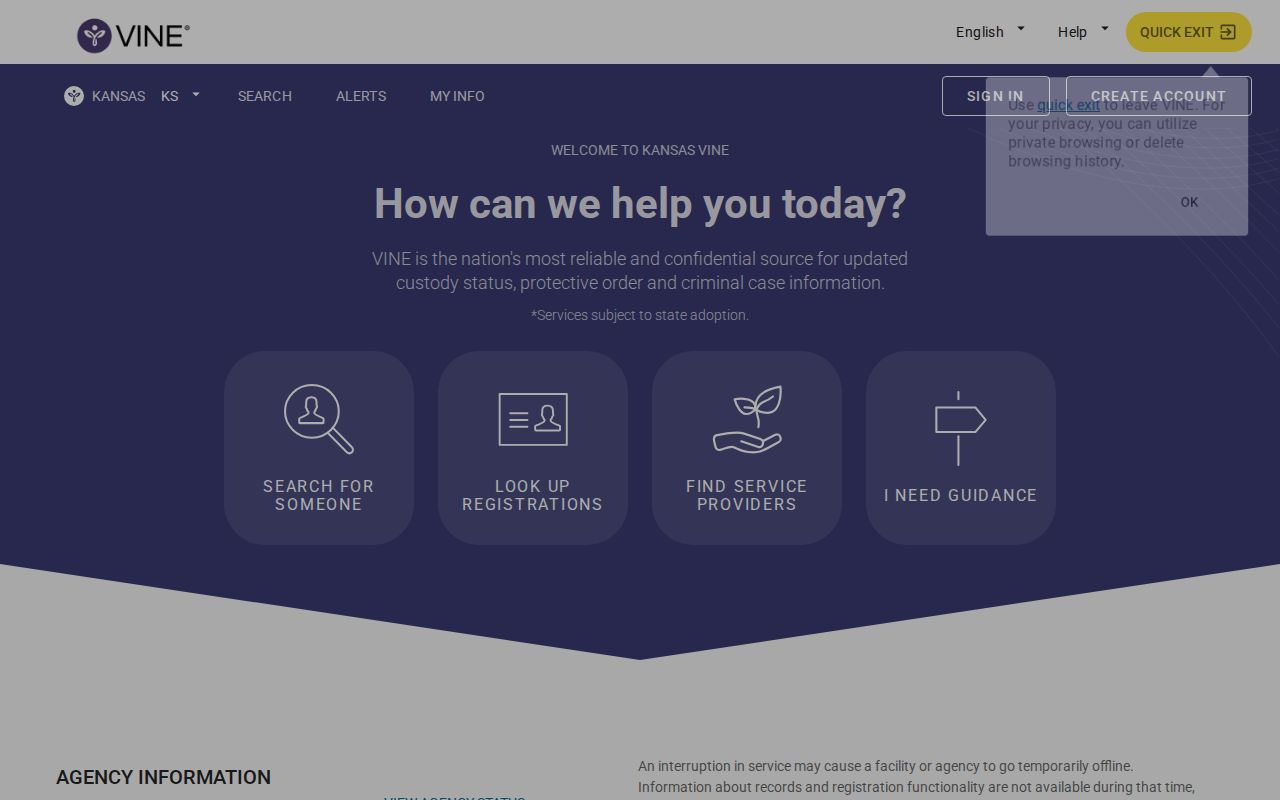
The VINELink screen shown below is a successful manifest capture of the Kansas search route. It is not a Hodgeman release list and does not display sample people.
When no result appears, try a spelling variant and review the identifying inputs. A recent booking may not yet have transmitted. A participating facility may have an interruption, a record may have been corrected, or the person may be under a different custodian.
Read Hodgeman VINELink Results
Field wording can change, and not every record exposes the same items. Preserve the live label rather than replacing it with a stronger term. A custody-change status is useful, but it does not certify the court outcome.
| Displayed item | How to interpret it |
|---|---|
| Name and identifiers | Tools for matching the correct person; a name match alone is not enough. |
| Custody status | The status transmitted through the county-jail service at the time checked. |
| Facility or custodian | The jail tied to the displayed event, when shown. It does not establish later custody elsewhere. |
| Event date and time | The timestamp associated with the reported custody change. Ask the jail what that timestamp represents. |
| Release or out-of-custody wording | Evidence of a reported county-jail exit, not proof of bond, dismissal, time served, or community release. |
| Notification controls | The available routes for registering on the selected record; channels can vary. |
A jail data correction or transfer can cause a status change. Transmission may lag. For an exact physical release time, release code, or certified record, contact the sheriff. For the judicial reason, inspect the Hodgeman County District Court case.
Register for Hodgeman Release Alerts
Registration attaches to the selected custody record. That makes identity review essential. Choosing the wrong same-name person produces alerts about the wrong case.
- Open the correctly matched record and choose the notification or registration control.
- Select an offered delivery route. Telephone, email, text, or app choices may vary with the live service.
- Enter the requested phone, email, text, or app details and accept the applicable terms.
- Create or enter a personal identification number when the telephone workflow requests one.
- Complete any email, text, or app confirmation required by the interface.
- Save the confirmation and keep the telephone PIN private.
The PIN is used to confirm an automated telephone notification. It is not the inmate’s identification number. Revisit the live interface for current wording because delivery channels and confirmation steps can change.
Confirm a Hodgeman VINE Alert
After an alert, note its date and time. Open the matching VINELink record again and preserve the exact status. Then call the Hodgeman County Sheriff. Ask whether the person physically left the jail, the date and time, the recorded release category, and whether another agency received custody.
Next, check the Hodgeman County District Court record. A bond order, dismissal, sentencing journal entry, commitment, probation order, revocation, or other filing can explain the legal action. It may not show the exact door-out time. The sheriff and court records should be used together.
- Bond release
- The person leaves jail while the criminal case may continue.
- Time served
- The recorded jail term has been served; other legal duties may remain.
- Transfer
- Another lawful custodian receives the person. It is not release to the community.
- Discharge
- A correctional authority’s control for the sentence ends, though separate cases or duties can remain.
If the records disagree, retain both dates and ask what each represents. A court order date, physical exit time, and VINE transmission time can legitimately differ.
When Hodgeman VINE Stops
Kansas VINE’s locally decisive limit is the line between county jail and KDOC. A Hodgeman detainee may disappear from the county-jail path because the sheriff transferred that person to state custody. That is the distinctive next-step problem for this county: “not found” after a transfer does not mean release.
Use KASPER after a confirmed KDOC handoff. Search by name or KDOC number, match the sentencing county and other identifiers, and read the status, facility or supervision location, sentence rows, and date labels exactly. A community-supervision location can mean release from prison with KDOC control still active. A discharged status is different.
The Kansas Department of Corrections facilities page explains that statewide path. The Hodgeman sheriff can confirm its own transfer, but it cannot certify a later KDOC prison release or sentence discharge.
Fix Hodgeman VINELink Problems
A failed search has several possible causes. Work through them without assuming the person was released.
- Check spelling, aliases, middle names, and identifying data.
- Allow for a recent booking that has not yet transmitted.
- Ask the sheriff whether the jail still holds the person.
- Ask whether another jail, KDOC, federal authorities, or ICE received custody.
- Use live operator support when the service offers it.
- Return to the court case for the legal event and destination clues.
VINE is not a certified release record, a court disposition, a permanent historical archive, or a general registry. The KBI Registered Offender Search covers only people with a statutory registration duty and is not a substitute for custody status.
Route Non-Hodgeman Custody
For a federal prison case, use the federal court record and Federal Bureau of Prisons facilities. The BOP locator can show released records for many former federal inmates, but it is separate from Kansas VINE. A pretrial federal prisoner may be in U.S. Marshals custody and may not fit the BOP route.
For a documented immigration transfer, use the ICE detention system locator and ERO contacts. A person who leaves Hodgeman County Jail under an ICE hold has ended county custody but may remain detained. The current custodian must confirm the next event.
VINELink is best used prospectively: find the correct county-jail record, register before the expected custody change, preserve the alert, and verify it. Historical Hodgeman releases are better pursued through a focused sheriff request and the district court file. Neither a missing search result nor an expired notification should be converted into a release date. Ask the custodian for the existing event record.